
Close Menu
BlogSpotTipsBlogSpotTips
  • Home
  • Education
  • Finance
  • Latest Internet News
    • Social Media
    • Software
  • Game
  • Contact Us !
Facebook X (Twitter) Instagram
BlogSpotTipsBlogSpotTips
  • Home
  • Education
  • Finance
  • Latest Internet News
    • Social Media
    • Software
  • Game
  • Contact Us !
Facebook X (Twitter) Instagram
BlogSpotTipsBlogSpotTips
Home»Latest Internet News»Xbox,One,update,turbocharges,downloads,for,virtually,all,users
Latest Internet News

Xbox,One,update,turbocharges,downloads,for,virtually,all,users

DeepBy DeepDecember 16, 2016No Comments2 Mins Read
Facebook Twitter Pinterest LinkedIn Tumblr Email
Share
Facebook Twitter LinkedIn Pinterest Email

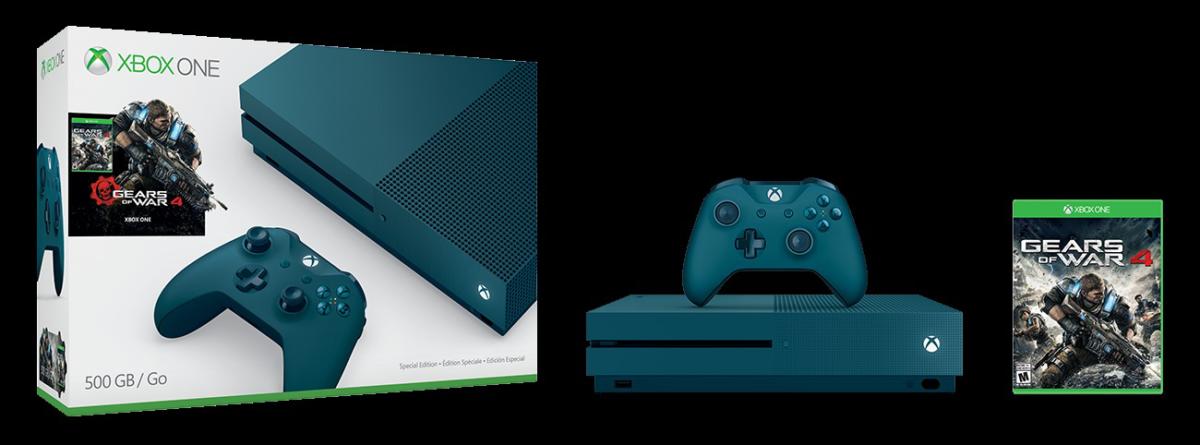
gears of war 4 se bundle

A new update currently rolling out to Microsoft’s Xbox One game console can speed up downloads of games and other content by as much as 80 percent, Microsoft said.

Virtually everyone will benefit from the new update. Users who have broadband connections slower than 100Mbps should see their download speeds increase by up to 40 percent, as a result of Microsoft’s update. But it’s those with even speedier connections who should really benefit: Users whose bandwidth exceeds 100 Mbps should experience up to 80 percent faster connections, Microsoft said. Additional improvements in the new update should make background downloads more resilient, and less likely to drop and report errors.

The system update, version 10.0.14393.2152 of the Xbox One software (otherwise known as rs1_xbox_rel_1610 161208-1218) is available to all users, not just members of the Xbox Insider Program. To find your console’s OS version, you’ll need to access Settings > All Settings > System > Console Info & Updates > OS Version.

Why this matters: The original Xbox One can operate in one of two states: instant-on mode, where it remains in standby much of the time, and an energy-saving mode, where it is essentially “off” when powered down. If you’ve chosen instant-on mode, this update doesn’t matter as much, as the console will power itself on, download updates automatically, then drop back into standby without any intervention from you.

In energy-saving mode, downloads and updates are only processed when you manually turn on the console…and then sit and wait while the game you want to play is updated. So why would you choose energy-saving mode? Instant-on mode uses 15 watts of power (versus 0.5W for energy-saving), so those with high electricity bills might choose the cheaper route—and now they’ll get into their games even faster than before.

To comment on this article and other PCWorld content
source”cnbc”
all downloads for One turbocharges update users virtually Xbox
Share. Facebook Twitter Pinterest LinkedIn Tumblr Email
Deep

    Related Posts

    The Art of Choosing Cabinets: A Comprehensive Guide

    May 7, 2026

    4 Tips to Improve Data Loss Prevention (DLP) in Healthcare

    April 16, 2025

    Choosing the Right Belly Band Holster for Your Body Type

    October 1, 2024
    Recent Post
    • Digital Pathways for Education: Enabling Greater Impact for All
    • The Art of Choosing Cabinets: A Comprehensive Guide
    • How to Effectively Manage Your Money
    • True Inclusion in Education Begins with Better Teaching
    • Social Media Growth Strategies for Mumbai Brands: What Actually Works in 2026
    • How to Grow Your Brand’s Social Media Following: Proven Strategies That Work
    • A Step-by-Step Guide to Personal Financial Planning
    • Tag, You’re It: GeForce NOW Makes Game Discovery Smarter With New Labels
    Search
    • Home
    • Privacy Policy
    • Contact Us !
    © 2026 BlogSpotTips. Designed by BlogSpotTips.

    Type above and press Enter to search. Press Esc to cancel.