
Close Menu
BlogSpotTipsBlogSpotTips
  • Home
  • Education
  • Finance
  • Latest Internet News
    • Social Media
    • Software
  • Game
  • Contact Us !
Facebook X (Twitter) Instagram
BlogSpotTipsBlogSpotTips
  • Home
  • Education
  • Finance
  • Latest Internet News
    • Social Media
    • Software
  • Game
  • Contact Us !
Facebook X (Twitter) Instagram
BlogSpotTipsBlogSpotTips
Home»Software»How to turn off Windows Defender’s enhanced notifications in Windows 10
Software

How to turn off Windows Defender’s enhanced notifications in Windows 10

DeepBy DeepSeptember 15, 2016No Comments2 Mins Read
Facebook Twitter Pinterest LinkedIn Tumblr Email
Share
Facebook Twitter LinkedIn Pinterest Email

windowsdefender

Microsoft’s Anniversary Update for Windows 10 wouldn’t be complete if there weren’t a few annoyances added to great features like Cortana integration and an improvedAction Center. One such annoyance is Windows Defender’s unceasing penchant for telling you what a great job it’s doing.

windowsdefenderenhancednotifications

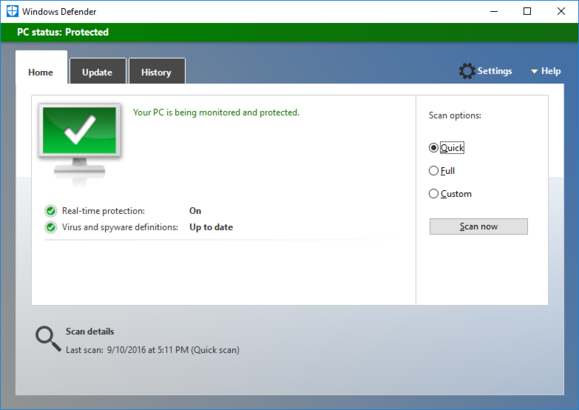
An example of Windows Defender’s enhanced notifications.

The new feature is called enhanced notifications, which amounts to Microsoft’s built-in antivirus software reporting the results of its scans.

If you don’t mind the regular reports then it’s a great feature.

But if you really don’t see the point of such micro-monitoring there’s an easy way to turn it off.

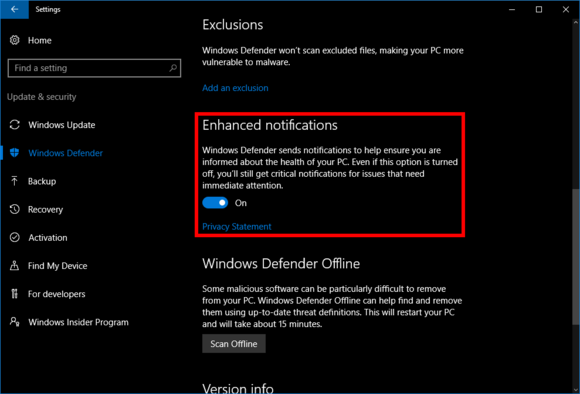
Open the Settings app by going to Start > Settings > Update & security > Windows Defender.
enhancednotifications

Windows 10’s enhanced notifications setting.

Then, in the main part of the screen, scroll down until you see the Enhanced notificationssection. Then simply flip the on/off slider to Off.

That’s it. Enhanced notifications are turned off. If Windows Defender finds a threat to your PC you will still be notified. What you won’t see, however, are notifications whenever Defender completes a scan or any other routine activity.

Anyone managing a multi-user PC at home might want to keep these notifications active so they don’t have to open Defender very often just to see what it’s up to. For me, turning off Defender’s enhanced notifications was an easy way to reduce the number of alerts that already flood my PC without losing any mission-critical updates.

source”cnbc”

10 Defender's enhanced How In notifications off to turn Windows
Share. Facebook Twitter Pinterest LinkedIn Tumblr Email
Deep

Related Posts

DevSecOps Tools: Powering Secure, AI-Driven Software Delivery

March 17, 2026

What is System Software: Features and Components

July 8, 2025

Best AI Writing Software

July 7, 2025
Recent Post
  • A Step-by-Step Guide to Personal Financial Planning
  • Tag, You’re It: GeForce NOW Makes Game Discovery Smarter With New Labels
  • How to Turn One Email Campaign into a Month of Social Content
  • How to Build a Balanced Social Media Marketing Strategy in 2026
  • Social Media Algorithms in 2026: How 10 Platforms Decide What You See
  • 500 Years of Excellence: Why the University of Aberdeen Is a Smart Choice
  • Characteristics of Finance
  • How Rhythm Scored 99 Percentile in CAT Without Studying 10+ Hours Daily
Search
  • Home
  • Privacy Policy
  • Contact Us !
© 2026 BlogSpotTips. Designed by BlogSpotTips.

Type above and press Enter to search. Press Esc to cancel.