

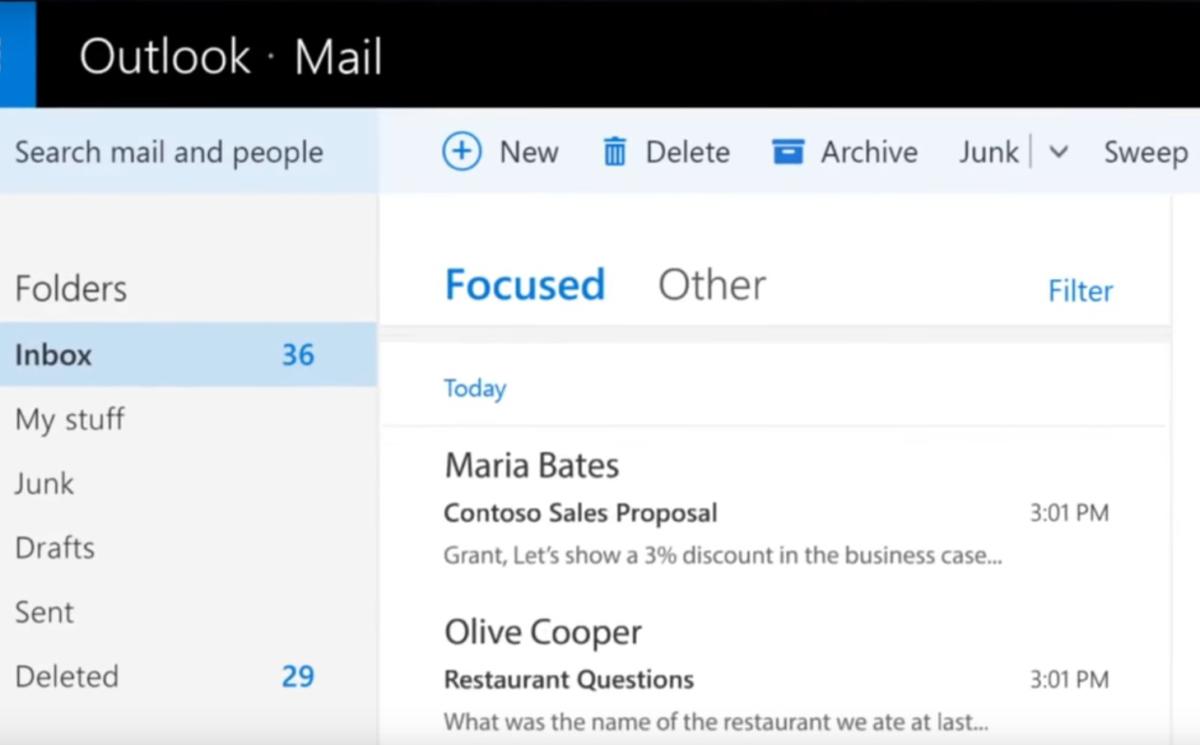
Sick of manually organizing your messages? Microsoft’s on the case, apparently testing its Focused Inbox feature in Windows 10’s Mail app.
A number of users recently told MSPowerUser they were seeing the feature on their PCs. The testing isn’t restricted to Windows Insider users either, as some are apparently reporting the new feature as showing up on the mainstream build of Windows 10.
Microsoft previously said that Outlook.com users included in the early rollout of Focused Inbox would start to see the new feature in Windows 10 Mail in February.
The feature first appeared on Outlook for Android and iOS. Focused Inbox is designed to cut out extraneous mail (such as newsletters and promotional blasts) to put more important messages front-and-center. It also learns from your mail habits as you move messages back and forth between the “focused” and “other” inboxes.
The story behind the story: Although Microsoft appears to be testing this feature in the Mail app it’s not clear when all users will see it. It’s likely this feature will not roll out for some time unless Microsoft plans to include it as a built-in feature for the Windows 10 Creators Update this spring. In addition to the Windows 10 Mail app, Focused Inbox will eventually land on Outlook.com, Windows 10 Mobile, Office 365 online, and Office 365 subscribers on Windows and Mac.
More to come
For commercial Office 365 customers, Microsoft expects to finish the roll out to the Mac and the web version by May. Select commercial users on Windows 10 Mobile, meanwhile, will start receiving the Focused Inbox in April with rollout to all users to be completed at an unscheduled time after that. Outlook 2016 for Windows is even worse off than its mobile counterpart, with no set date for a Focused Inbox release.
There are no clear Focused Inbox launch dates for Windows 10 home users, either, though it may begin around the same time or shortly after the commercial release dates. The one exception to that is Outlook.com, with all users scheduled to get Focused Inbox by April.
